Applying for a visa for Sri Lanka is compulsory, but fortunately it’s also one of the easiest things to sort out. In most cases, you apply for the visa online via the official ETA system and receive approval within a short time. In this blog, we’ll explain step by step how it works, what it costs, how long it’s valid for and what you need to bear in mind. We’ll also share our own experience and a few pitfalls you’ll definitely want to avoid.
General information about Sri Lanka
Are you planning a trip to Sri Lanka? Then take a look at all our tips on the best places to visit, how to get a SIM card and the ideal itinerary! Find all information on Sri Lanka here.


1. Do you need a visa for Sri Lanka?
As we mentioned in the introduction, travellers always need a visa for Sri Lanka. This also applies to tourist trips. Fortunately, it’s easy to sort out. You don’t need to visit an embassy or fill in complicated forms. In most cases, you can simply apply for an ETA (Electronic Travel Authorisation) online. This is a digital visa that is linked to your passport.
2. What is an ETA visa for Sri Lanka?
The ETA visa is the standard way to enter Sri Lanka as a tourist. It is an electronic travel authorisation that you apply for online in advance. Once approved, your visa is registered digitally. You therefore do not need to print anything out (although we do recommend doing so, just to be on the safe side). With an ETA visa, you are permitted to:
- stay in Sri Lanka for up to 30 days
- to enter and leave the country twice (double entry)
The latter is particularly useful if you Sri Lanka can be combined with, for example, the Maldives.
What are the different ways to apply for a visa for Sri Lanka?
- Apply online via the official ETA website: This is the most popular and recommended option. You can easily apply for your visa online via the Official website of the Sri Lankan government. Once your application has been approved, you will receive a confirmation by email. You will not receive a physical visa; everything will be linked digitally to your passport.
- Apply online via a visa agency: Would you prefer a bit more reassurance or help with your application? If so, you can choose to arrange your visa through an agency, such as Visa365. They’ll guide you through the application process and help if anything goes wrong or if you have any questions. Please bear in mind, however, that you’ll be charged an additional service fee for this. Apply for your Sri Lanka visa through Visa365 here.
- Visa on arrival at the airport: It is also possible to obtain a visa on arrival in Sri Lanka. In practice, however, we do not recommend this. We often hear that waiting times at the airport can be quite long, which is a shame as it means you’ll miss out on your first day of holiday.
For the most up-to-date information and to apply for your visa, visit Official website of the Sri Lankan government or look at NetherlandsWorldwide.
3. How do you apply for a visa for Sri Lanka? (step-by-step guide)
Applying for your visa usually only takes 10 to 15 minutes. Here are the steps:
Step 1: Go to the official ETA website and click on Apply. Always apply for your visa via Official website of the Sri Lankan government. Would you like help with your visa application? If so, you could also choose to use an intermediary such as Visa365 But bear in mind that they charge extra for this.

Step 2: Agree to the terms and conditions relating to the ETA application. If you click ‘I do not agree’ here, you will not be able to submit an application.

Step 3: Apply for a tourist visa: Select ‘Apply for an Individual’ under the “Tourist ETA” option.

Step 4: Enter your details: Among other things, you’ll need to enter your passport details, travel information and contact details.

Step 5: Complete your application: Good news! Since 25 May 2026 The tourist ETA is free for Dutch travellers. This means you no longer have to pay any visa fees. You must, however, apply for the ETA before your trip. With the free ETA, you may stay in Sri Lanka for up to 30 days.
Step 6: Receive your approval: In most cases, you will receive your visa by email within a few hours (sometimes up to 1–2 days). However, you can apply as early as 90 days before your arrival.
 Tip: we recommend that you apply for your visa at least 4 weeks before your departure. This will save you a lot of stress if something suddenly goes wrong.

4. How much does a visa for Sri Lanka cost?
For travellers with a For Dutch passport holders, the tourist eTA has been free of charge since 25 May 2026. This means you no longer have to pay visa fees, but you must still apply for the ETA before departure. We recommend that you do this directly via the official website of the Sri Lankan immigration service rather than through a commercial intermediary, as the latter may still charge service fees.
5. How long is the visa valid for?
The visa for Sri Lanka works as follows:
- valid for 30-day stay from the moment of arrival
- You need to come inside 90 days after the application enter the country
- it is a double-entry visa
This means that you are allowed to enter and leave Sri Lanka twice within those 30 days. This is important if, for example, you’re flying to the Maldives in between.
6. What do you need to apply?
To apply for your visa, you will need the following:
- a passport that is valid for at least another 6 months
- a return or through ticket
- the address of your first place of accommodation
- a means of payment (credit card)
7. Common mistakes when applying
- Using the wrong website: There are many commercial websites that pretend to be official. You often end up paying twice on these sites. Always apply for your visa via Official website of the Sri Lankan government. Would you like help with your visa application? If so, you could also choose to use an intermediary such as Visa365 But bear in mind that they charge extra for this.
- Late applications: Although it usually doesn’t take long, you don’t want to leave it until the last minute.
- Error in passport details: Even a small typing error can cause problems on arrival. So make sure you double-check your details. It’ll save you stress, time and extra costs on arrival.
- Validity of your passport: Make sure your passport is valid for at least another 6 months upon arrival in Sri Lanka. This is a strict requirement and checks will be carried out.
- Please note the following when applying for a new passport: Are you planning to apply for a new passport soon? If so, please make sure you apply for your ETA visa using the details from your new passport. This is because your visa is linked to your passport number. If you accidentally use your old details, this could cause problems on arrival.
- No offline access to your documents: Many travellers only keep their visas and important documents online, for example in their email or in the cloud. That may seem convenient, but it can be a problem if you don’t have internet access on arrival. That’s why we always make a point of printing out these kinds of important documents. It’s also a good idea to sort out internet access straight after arrival, for example with a local SIM card or in advance via an eSIM from Saily or Airalo. That way, you avoid any hassle and have everything to hand straight away.
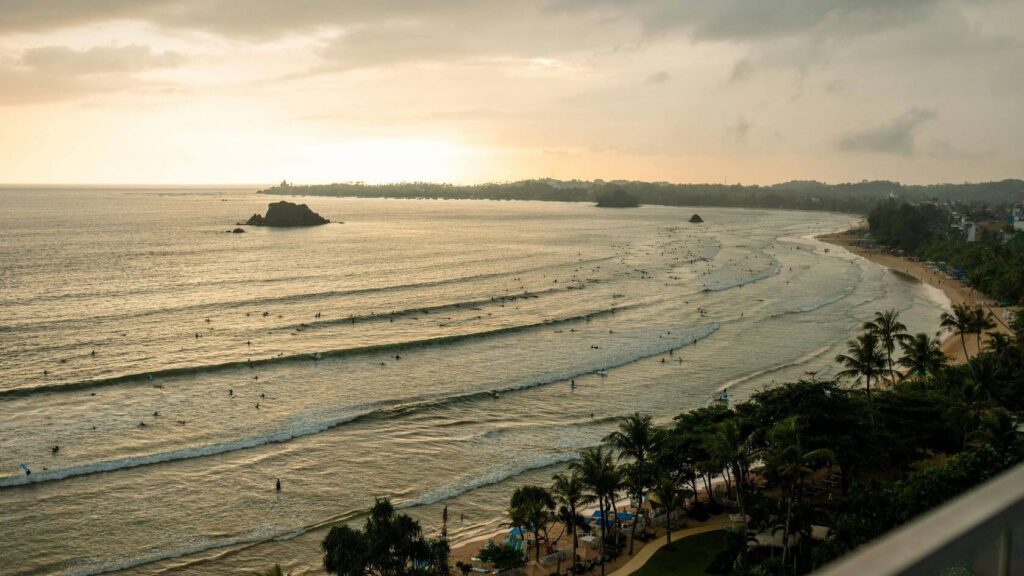
8. Combining a Sri Lanka visa with a visit to the Maldives
Are you planning to combine a trip to Sri Lanka with a visit to the Maldives? If so, it’s important to pay a little closer attention to your visa. The visa for Sri Lanka is valid for 30 days from the moment you enter the country and is what is known as a double-entry visa. This means you are allowed to enter and leave Sri Lanka twice within that period.
In practice, it often works like this: you start your trip in Sri Lanka, then fly on to the Maldives, and then return to Sri Lanka before heading home. So that’s perfectly allowed, as long as your visa is still valid.
That’s where things often go wrong, though. If, for example, you stay in the Maldives a little longer or your trip takes just a bit longer than planned, your visa may have expired in the meantime. In that case, you’ll need to apply for a new visa before you’re allowed back into Sri Lanka. Our advice: always check your travel plans carefully in advance and make sure you stay within that 30-day period.
Visa for the Maldives
As a Dutch or Belgian traveller, you will automatically receive a free visa on arrival which is valid for a maximum of 30 days. However, you must complete an online Traveller Declaration Form to complete. This is a short online registration process that you can easily complete in advance and which you need to enter the country.


Read also: SIM cards in Sri Lanka: everything you need to know + the best eSIM options
Read also: Sri Lanka and the Maldives Tour: itinerary, costs & best time to visit
9. Frequently asked questions about visas for Sri Lanka
Any questions about your visa application? You’re not the only one! Below, we answer the most frequently asked questions, so you know exactly what to look out for and can travel with peace of mind. Can’t find your question here? Send us a message at Instagram, we’d be happy to help you find a solution!
1. How far in advance do you need to apply for a visa for Sri Lanka?
Officially, you can apply for your visa at the last minute, but we recommend doing so at least four weeks before departure. That way, you’ll have plenty of time to correct any mistakes and avoid stress just before you leave.
Would you like to book this even earlier? No problem! You can make a booking from 90 days before arrival.
2. Can you extend your visa for Sri Lanka?
Yes, that is possible. If you wish to stay in Sri Lanka for longer than 30 days, you can extend your visa at the immigration office in Sri Lanka itself. In most cases, you can extend your stay for up to 90 days.
3. Can you apply for a 60-day visa for Sri Lanka?
No, on arrival you will automatically be issued with a 30-day visa. If you wish to stay longer, you will need to extend this whilst in Sri Lanka. You can arrange this at an immigration office once you are there.
4. What is the cheapest way to apply for a visa for Sri Lanka?
The cheapest way is via the Sri Lankan government’s official website. Here, you only pay the visa fee. If you choose to use a visa agency, you’ll pay an additional service charge, but you’ll receive assistance with the application.
5. Do you need to print out your visa for Sri Lanka?
In most cases, a digital copy is sufficient. However, we recommend that you also bring a printed copy of your visa, just to be on the safe side. Especially after a long flight, it’s nice not to have to rely on the internet.
6. What happens if you make a mistake on your visa application?
An error in your application could result in your visa being refused or cause you problems on arrival. You should therefore always check your details carefully, especially your passport number. If you’re unsure, a visa agency can offer extra reassurance.
7. Can you enter Sri Lanka without a return ticket?
In practice, you are sometimes asked for this. Officially, you must be able to prove that you will be leaving the country again, for example with a return ticket or an onward ticket. So make sure you have this to hand.
8. Can you obtain a visa on arrival in Sri Lanka?
Yes, that’s possible, but it’s not the most convenient option. There are often long queues at the airport. By applying for your visa online in advance, you can usually get through security more quickly.
9. What is a transit visa for Sri Lanka?
If you only have a short stopover in Sri Lanka, you can apply for a transit visa. This is usually valid for up to 48 hours and is intended for travellers who are only visiting the country briefly whilst in transit.


Plan your trip with our Sri Lanka map!
Plan your ideal itinerary through Sri Lanka with our handy Google Maps card. You will find our favourite restaurants, places of interest and hidden gems all in one place. Handy on the go, so you don't miss a thing and always have a good address to hand.

Fortunately, applying for a visa for Sri Lanka isn’t complicated at all. If you know what to look out for and sort it out in good time, it’s often done in a matter of minutes. Our advice: always apply for your visa online in advance, check your details carefully and make sure you have copies of important documents with you, either on your device or printed out. This will help you avoid any hassle on arrival and allow you to start your trip feeling relaxed straight away.
Do you still have any questions after reading this blog, or are you unsure about anything? Please feel free to send us a message at Instagram, we are happy to think with you.
We try to keep this blog on ‘Sri Lanka visas’ as up to date as possible, but we can’t do this without your help. If anything has changed, please let us know via info@thousandtravelmiles.nl.
Some of the links in this blog post about ‘Sri Lanka visas’ are affiliate links. If you choose to make a purchase via these links, we’ll receive a small commission at no extra cost to you. By using these affiliate links, you’re supporting Thousandtravelmiles. This enables us to travel the world, fund the website and offer you free information to help you plan your trip. It means that a ‘real’ person does a little happy dance whenever you make a purchase via this link! You’re a legend!